Tusky shutting down: how to retrieve your data
Tusky is shutting down services (please refer to the blog post for full details).
Users will continue to be able to access accounts and data through the app, API and SDK, and our public aggregator will continue to run through January 19, 2026. After this date we cannot guarantee the availability of private or public data.
This guide details how individuals can retrieve their data through the web app, and how to developers can use the typescript SDK.
Note: Tusky publishes subscriber data in cycles of 8 epochs (approximately 4 months). Under normal operation, data would be extended for another cycle unless the user cancels their subscription or deletes the data.
During the sunsetting period, we are taking steps to ensure that any data approaching renewal is extended so that it remains accessible while services are still operating.
As a result, some public data that was published prior to Tusky blocking new uploads may remain temporarily accessible via other public aggregators, even beyond the Tusky sunsetting period. Accessing this data would require the relevant quilt patch ID and use of a third-party aggregator (details here).
However, this availability is not guaranteed and should not be relied upon as a backup strategy. All data – public and private – will eventually become inaccessible unless recovered. We, therefore, strongly recommend retrieving and backing up all data before the end of the sunsetting period to avoid any risk of data loss.
Individuals – retrieving data through the web app
After connecting to the Tusky web app, you must download data from each vault separately. There is no option to download all your data in one go.
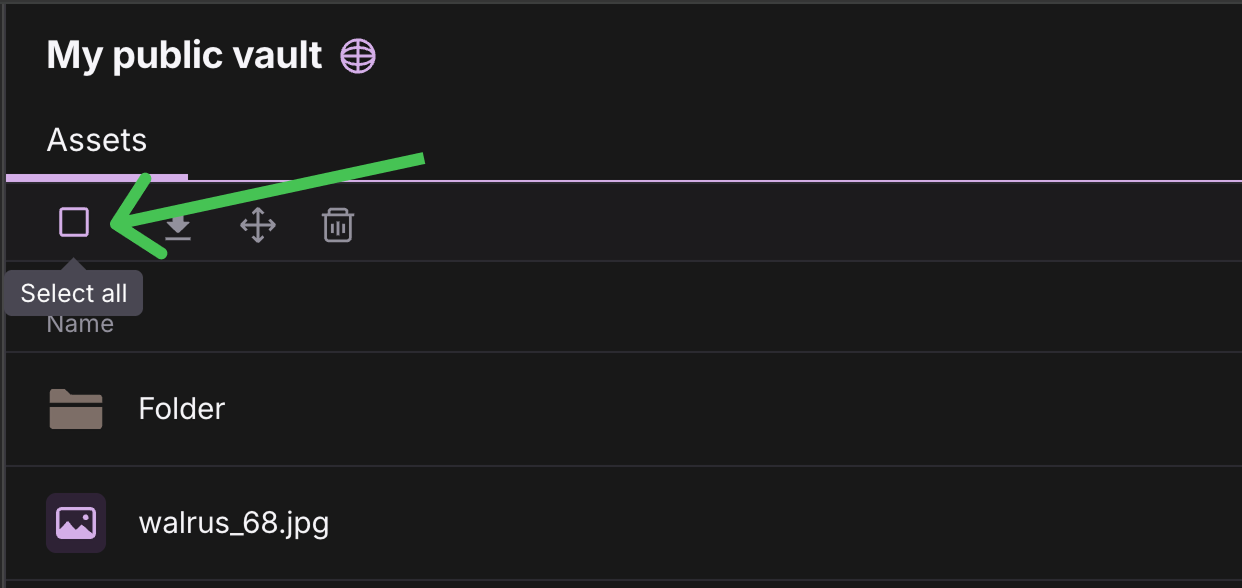
Inside your vault, you can select all files in view by clicking the square icon under the "Assets" tab. You will see all the files checked.
The icon to the right is the download button.
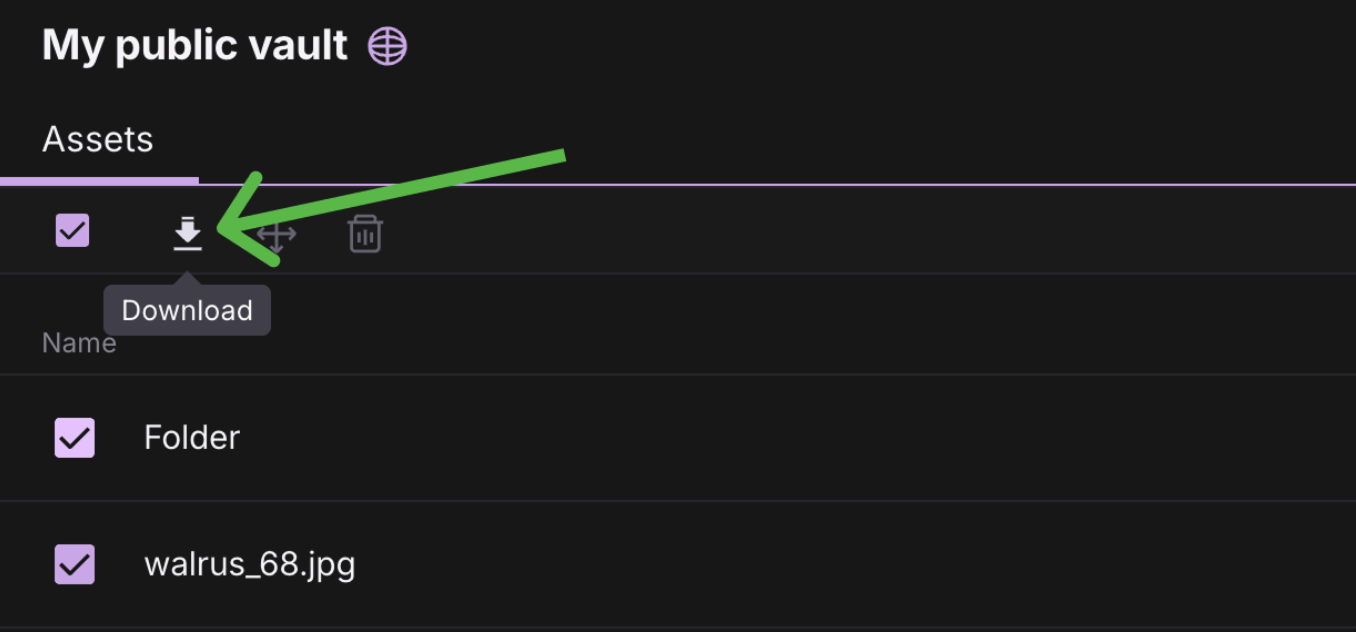
A zip file will download locally containing all those files.
The download manager window will appear in the bottom right of the screen, showing the progress of each file as Tusky prepares them for download into one zip.
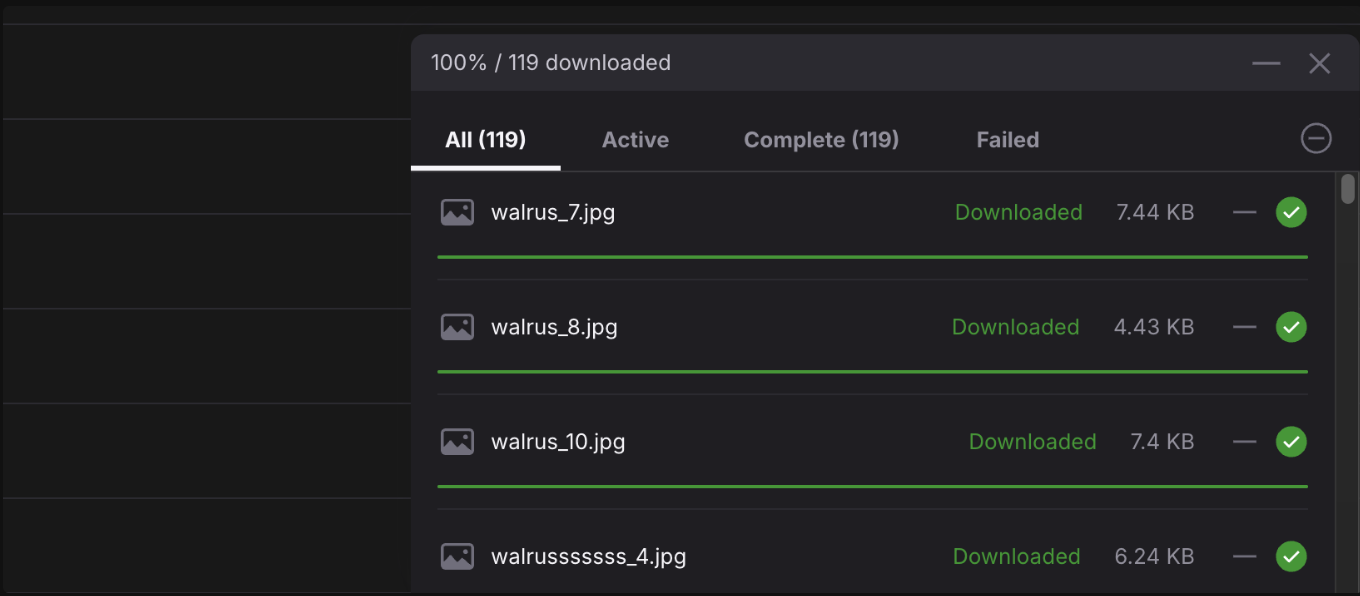
To give your downloads the best chance of success, consider the following:
-
Please be patient, sometimes the progress will stop at a certain percentage for a while but resume.
-
Don't navigate away from the screen while files are downloading.
-
Use one of the main browsers: Chrome, Safari, Firefox etc.
-
Don't let your computer go to sleep during the process.
-
Ensure you have a strong internet connection.
-
If you have lots of files in one vault, consider moving files into folders at the root level and downloading the folder instead of the files individually.
-
If the download process is timing out or you're seeing errors, try downloading files in smaller batches.
Retrieving blob, quilt and quilt patch IDs
The "i" icon on each file row opens the "Asset info panel":
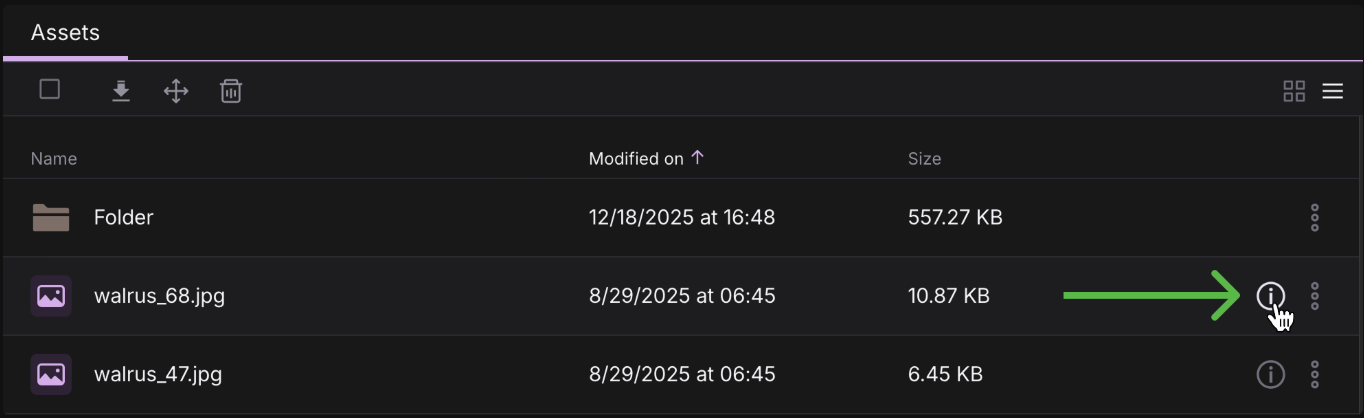
In this panel you'll find:
-
Quilt ID
-
Quilt patch ID
-
Blob ID
-
Sui transaction
-
Tusky public aggregator link using blob ID
-
General public aggregator link using quilt patch ID
To learn more about quilts and how to use the quilt patch ID with any public aggregators:
https://docs.tusky.io/publisher/quilts
Developers – retrieving data through Typescript SDK
Note
Downloading a file from Tusky requires aggregation from Walrus network. This is a memory-intensive, semi-synchronous process. Most blobs will aggregate synchronously. Aggregations that require more time are moved to async process. In such scenarios the API returns HTTP 425 with Retry-After header. This is a retryable error.
Nodejs users may use Tusky SDK to download the binaries.
Install the SDK:
npm install @tusky-io/ts-sdkExample script to download your data from Tusky:
import { Tusky } from "@tusky-io/ts-sdk";
import { writeFile, mkdir } from "fs/promises";
import { existsSync } from "fs";


async function retrieveAllData(
  apiKey,
  password = null,
  outputDir = "./tusky-backup",
) {
  const tusky = new Tusky({ apiKey });


  // Set up encryption if password provided
  if (password) {
    await tusky.addEncrypter({ password });
  }


  // Create output directory
  if (!existsSync(outputDir)) {
    await mkdir(outputDir, { recursive: true });
  }


  // Get all vaults
  const vaults = await tusky.vault.listAll();
  console.log(`Found ${vaults.length} vaults\n`);


  // Process each vault
  for (const vault of vaults) {
    console.log(`Processing vault: ${vault.name}`);
    const vaultDir = `${outputDir}/${vault.name}`;


    if (!existsSync(vaultDir)) {
      await mkdir(vaultDir, { recursive: true });
    }


    // Get all files in vault
    const files = await tusky.file.listAll({ vaultId: vault.id });
    console.log(`  Found ${files.length} files`);


    // Download each file
    // HTTP 425 and network errors can be retried (not covered here)
    for (const file of files) {
      try {
        await tusky.file.download(fileId,
         { path: `${vaultDir}/${fileMetadata.name}`});
        console.log(`  ✓ ${file.name}`);
      } catch (error) {
        console.error(`  ✗ ${file.name}: ${error.message}`);
      }
    }


    console.log(`Completed vault: ${vault.name}\n`);
  }


  console.log(`All data retrieved to: ${outputDir}`);
}

await retrieveAllData("your-api-key", "your-encryption-password");